The Shadow Spreadsheet Shutdown Playbook
- Jason B. Hart
- Revenue Operations
- April 19, 2026
- Updated April 28, 2026
Table of Contents
What is the shadow spreadsheet shutdown playbook?
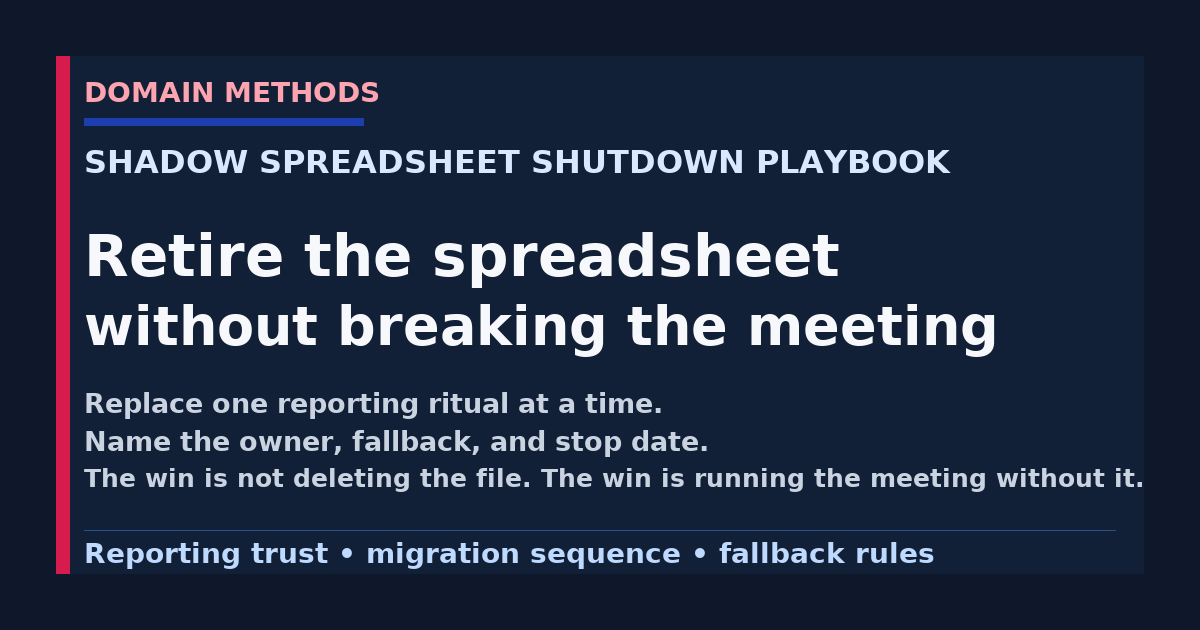
The shadow spreadsheet shutdown playbook is a practical way to retire spreadsheet-backed reporting without breaking the weekly or monthly operating rhythm that people still rely on.
Most teams already know the spreadsheet is fragile.
That is not the hard part.
The hard part is that the spreadsheet is usually doing one useful job the official reporting still does badly.
It patches late CRM changes before the pipeline review. It translates mismatched definitions before the exec meeting. It carries caveats the dashboard hides. It turns three half-trusted exports into one thing a VP is willing to discuss in the room.
That is why a spreadsheet shutdown project goes sideways so often. Someone treats the file like the problem. The team migrates the report shape. Then the same meeting still needs the same manual fixes, so a new shadow spreadsheet appears two weeks later with a name like Q2-final-v3-actually-final.xlsx.
If you have not read How to Stop Your Marketing Team from Building Shadow Spreadsheets, start there first. That piece explains why the workaround exists. This one is about what to do after you have accepted that the workaround is real and you need to replace it safely.
The rule that changes this work
Do not ask, “How do we get rid of the spreadsheet?”
Ask, “What meeting or decision breaks if we remove it tomorrow?”
That question changes the whole project.
Now you are not migrating a file. You are replacing a workflow dependency.
That means you need to know:
- which meeting the sheet supports
- who trusts it more than the official source
- which caveats it is carrying manually
- what the stable replacement should be
- what can stay manual for one more cycle without causing damage
If the team skips those questions, the shutdown plan becomes cosmetic. The screenshot changes. The labor stays.
Start with one spreadsheet-backed meeting, not the whole spreadsheet estate
A lot of companies have dozens of exports, side tabs, and local workbooks.
Do not inventory all of them first unless you enjoy making the project sound bigger than it needs to be.
Start with the spreadsheet that already shows up in a real operating rhythm:
- weekly pipeline or demand-gen review
- monthly executive revenue review
- forecast handoff between RevOps and finance
- board-prep packet cleanup
- launch or campaign-performance review
The best first target usually has three traits:
- it drives a recurring decision
- it requires manual fixes every cycle
- it creates visible trust friction between teams
That gives you a clean before-and-after test. If you need an outside read on which spreadsheet workflows are harmless working files versus risky shadow sources of truth, the analytics audit service is built for that sorting step.
The goal is not to prove that spreadsheets are bad. The goal is to replace one expensive reporting ritual with a durable alternative people will actually use.
Map the spreadsheet’s real job before you migrate anything
Before anyone starts rebuilding the output, document what the spreadsheet is actually doing.
Use a table like this in the working session:
| Spreadsheet-backed workflow | What the sheet adds manually | Who relies on it | What breaks without it | Best replacement target |
|---|---|---|---|---|
| Weekly paid + pipeline review | today’s spend notes, paused campaigns, pipeline exclusions, owner caveats | growth lead, RevOps, finance observer | meeting spends 20 minutes debating whether the dashboard is current | decision brief or tighter weekly review view |
| Forecast handoff sheet | deal-stage overrides, rep notes, finance adjustments | RevOps, sales leadership, finance | forecast confidence drops and every team tells a different story | governed forecast handoff with explicit caveat section |
| Board-prep worksheet | last-minute metric caveats, reconciled source picks, confidence notes | CEO, finance, board-prep owner | board narrative becomes a definition fight | board pack input plus confidence checklist |
This step sounds simple, but it is where the real operating detail shows up.
In practice, the spreadsheet is often doing one of four jobs:
- carrying freshness fixes the official system misses
- carrying definition choices nobody agreed on upstream
- carrying narrative caveats leaders still need in the meeting
- carrying exceptions and edge cases the dashboard cannot express cleanly
If you do not name that job, the replacement will be too shallow.
Choose the replacement path before you talk about retirement
The next mistake is assuming every spreadsheet should become a dashboard.
That is usually wrong.
Some spreadsheet-backed workflows really want a dashboard. Others want a tighter decision brief, a board-safe memo, a CRM view, or even a workflow alert with a named owner. The wrong replacement shape is how teams end up exporting from the new tool back into another sheet.
The reporting artifact hierarchy is useful here because it forces the team to pick the narrowest artifact that can carry the decision.
Here is the fast version:
| If the spreadsheet is mainly used for… | Better replacement shape | Why |
|---|---|---|
| recurring operator monitoring | dashboard or recurring review view | the team needs repeat visibility, not a one-off narrative |
| one bounded tradeoff or budget call | decision brief | a dashboard leaves the reader to build the argument alone |
| executive or board interpretation | board-pack input with confidence notes | leaders need caveats and narrative, not raw exploration |
| an action trigger | workflow alert plus fallback owner | the next step should be explicit, not hidden in a spreadsheet tab |
That choice matters because the migration plan, owner map, and QA rules depend on it.
A meeting-by-meeting migration table that actually works
Once you know the sheet’s job and the likely replacement, build a migration table.
This is the core of the shutdown playbook.
| Meeting / cadence | Current spreadsheet owner | New source-of-truth target | Parallel-run plan | Fallback rule | Shutdown rule |
|---|---|---|---|---|---|
| Weekly demand-gen review | marketing ops manager | weekly decision review page in BI plus caveat notes | run both for 2 cycles | if paid-channel exclusions are still missing by meeting start, use the prior approved sheet once more and log the gap | stop using the sheet after 2 clean cycles and one named QA owner |
| Forecast sync | RevOps lead | governed forecast handoff doc with finance-approved fields | run one month in parallel | if deal-stage overrides are still unresolved, escalate before the meeting rather than editing the replacement silently | retire the sheet after finance signs off on one clean close cycle |
| Board prep | CEO chief of staff or finance | board pack source table plus confidence checklist | run current process + new pack prep once | if one metric is still only directional, keep the caveat visible and do not pretend the shutdown is complete | retire the worksheet when the board pack carries caveats without off-book spreadsheet edits |
A few things matter here:
- keep the table at the meeting level, not the file level
- make the fallback rule explicit before the first migration cycle
- define shutdown as a behavior change, not a file deletion
That last point matters more than teams expect. Plenty of companies still have the old spreadsheet sitting in a folder. That is fine. The real win is that nobody needs it to run the meeting anymore.
Controlled fallback rules keep the migration honest
A spreadsheet shutdown fails when leadership hears “the replacement is live” and the operators quietly think, “not enough for me to trust it under pressure.”
That is why fallback rules matter.
A good fallback rule says:
- what can stay manual temporarily
- who is allowed to make that exception
- what gets logged when the fallback is used
- what condition must be fixed before the next cycle
Examples:
- “If the CRM backfill for lifecycle stage misses the Wednesday cut, RevOps may attach one caveat note, but cannot rewrite the whole KPI logic in the sheet.”
- “If the paid-media pacing view is stale by more than one refresh cycle, the meeting uses the prior approved export and the owner logs the refresh miss before the call ends.”
- “If finance and marketing still disagree on pipeline exclusions, the output is marked directional and the issue is escalated before the metric is reused in board narrative.”
Fallback rules are not a sign the migration is weak.
They are what keep the team from pretending the new path is cleaner than it is.
What not to migrate first
This is where teams create more drama than necessary.
Do not start with the spreadsheet that sits closest to board narrative, compensation logic, or a politically unstable KPI unless the upstream definitions are already in decent shape.
That kind of sheet feels strategic, so leaders want it gone first. But it is often the worst first migration target because it carries the most scar tissue.
Avoid leading with:
- the sheet that exists only because sales, marketing, and finance still define the KPI differently
- the board-prep sheet when the metric confidence level is still fuzzy
- the forecast-reconciliation workbook when ownership of source corrections is still ambiguous
- the one heroic operator’s private workbook when nobody has documented what the formulas actually mean
A better first move is a spreadsheet-backed meeting where the pain is visible, the users are known, and the replacement can be tested over one or two cycles without destabilizing the whole company.
That gives you a live proof point before you touch the more political workflows.
The shutdown checklist I use in practice
Before you call a spreadsheet officially retired, make sure these questions have a real answer:
| Question | Good answer |
|---|---|
| Who owns the replacement output? | one named role, not “the data team” |
| What decision is it designed to support? | one specific meeting, threshold, or review job |
| What confidence level does it carry? | directional, decision-grade, or board-grade is explicit |
| What happens if it fails this cycle? | fallback and escalation rule already named |
| Where do caveats live now? | visible in the new output, not hidden in side messages |
| How do people know the spreadsheet is no longer canonical? | the team has been told what changed and what to use instead |
If two or three of those are still fuzzy, the spreadsheet is not retired. It is only hiding.
A cleaner migration sequence than most teams use
When the work is done well, the sequence looks like this:
- pick one spreadsheet-backed meeting
- document the decision job the sheet is doing
- identify the right replacement shape
- define owner, fallback, rollback, and caveat handling
- run the new path in parallel briefly
- log every trust break or manual rescue during the parallel run
- shut down the spreadsheet only after one or two clean cycles
- carry the lessons into the next spreadsheet-backed workflow
That sequence is boring on purpose.
Boring is good here.
A spreadsheet shutdown project should feel more like controlled operations cleanup and less like a reporting transformation announcement.
Where this usually turns into a bigger trust project
Sometimes the migration work exposes a deeper issue fast.
If the replacement keeps failing because every team still argues about the meaning of the KPI, this is not really a spreadsheet problem anymore. It is a definition and trust problem.
That is where Three Teams, Three Numbers is usually the right move.
If the deeper issue is that every request still arrives as “can you make a dashboard for this?” without anyone naming the user, the confidence bar, or the downstream action, then Translate the Ask is the better next move.
The goal is not to defend one tool over another.
It is to make sure the replacement output is solving the real job the spreadsheet was quietly carrying.
The operating principle to keep
The spreadsheet is usually not the rebellion.
It is the receipt.
It shows you where the official reporting path still loses under real-world pressure.
So do not celebrate when the file disappears.
Celebrate when the meeting still works without it.
Download the Shadow Spreadsheet Migration Tracker (PDF)
A lightweight tracker for mapping each spreadsheet-backed meeting, naming the replacement owner, setting fallback and rollback rules, and deciding what can shut down next. Download it instantly below. If you want future posts like this in your inbox, you can optionally subscribe below.
Instant download. No email required.
Want future posts like this in your inbox?
This form signs you up for the newsletter. It does not unlock the download above.
If your team is still carrying executive or weekly reporting through side spreadsheets, start by naming which meeting keeps forcing the workaround and which trust break the file is compensating for. If that review shows the real issue is cross-team KPI disagreement, Three Teams, Three Numbers is the fastest way to stop the same number fight from infecting every reporting handoff. If the deeper issue is still a muddy reporting request and nobody can say what artifact should replace the spreadsheet, start with Translate the Ask.
Download the Shadow Spreadsheet Migration Tracker (PDF)
A lightweight tracker for mapping each spreadsheet-backed meeting, naming the replacement owner, setting fallback and rollback rules, and deciding what can shut down next.
DownloadIf the spreadsheet problem is really a cross-team trust fight
Three Teams, Three Numbers
Use the diagnostic when marketing, sales, finance, and data all show up with their own version of the same KPI and nobody can tell which one should run the meeting.
See the metric-alignment diagnosticIf the real blockage is still a fuzzy reporting ask
Translate the Ask
Use the sprint when the business keeps requesting a new report or dashboard before anyone has named the decision, owner, confidence bar, or workflow change the output is supposed to support.
See the translation sprintSee It in Action
Common questions about shutting down shadow spreadsheets
Should we ban spreadsheets before the replacement is ready?
What spreadsheet should we replace first?
How long should we run the spreadsheet and the replacement in parallel?
What usually makes a spreadsheet shutdown fail?

About the author
Jason B. Hart
Founder & Principal Consultant
Helps mid-size SaaS companies turn messy marketing and revenue data into decisions leaders trust.