The CRM Workflow Reliability Benchmark
- Jason B. Hart
- Revenue Operations
- April 19, 2026
- Updated June 17, 2026
Table of Contents
What is the CRM Workflow Reliability Benchmark?
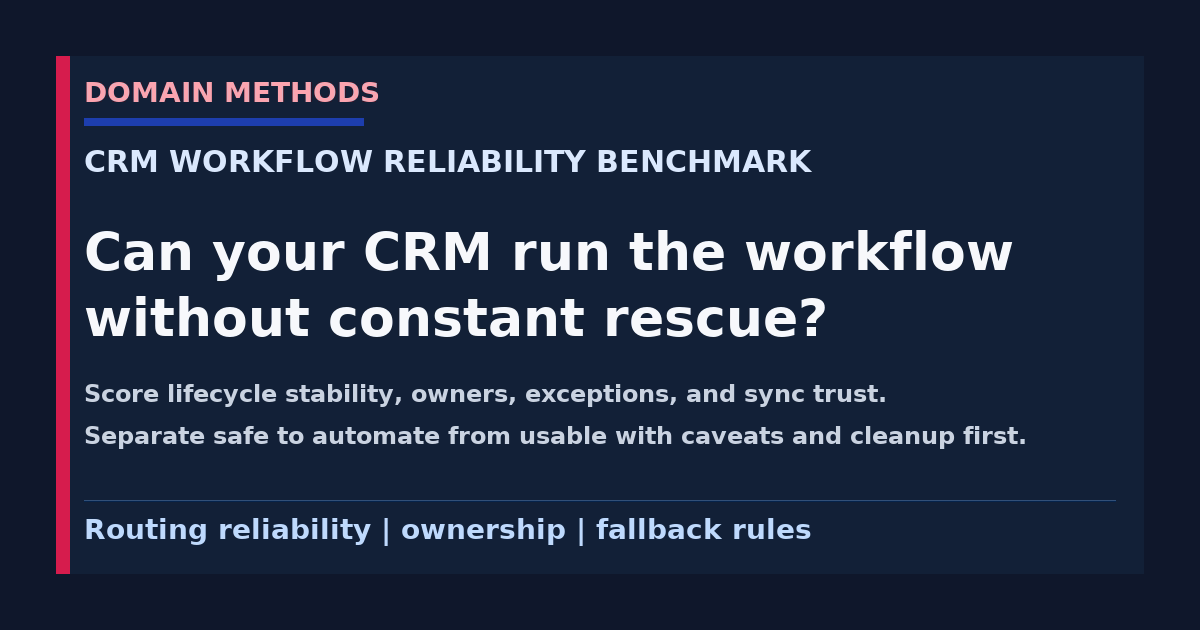
The CRM Workflow Reliability Benchmark is a practical way to test whether your CRM is safe to run real operating workflows, not just whether the records look mostly filled in.
That distinction matters.
A lot of teams say the CRM is “pretty good” because required fields exist, dashboards load, and the ops team can usually patch the weird cases before leadership sees the damage.
That is not reliability.
Reliability means a recurring workflow can survive normal business mess without needing the same operator heroics every week.
Can a lead route to the right owner without a Slack cleanup pass? Can lifecycle logic stay stable for a quarter? Can a rep trust the alert enough to act on it? Can RevOps explain what happens when the sync misses, the record duplicates, or the ownership rule collides with a territory exception?
Those are operating-system questions. Not data-entry questions.
If you want the narrower AI-specific read, start with How to Evaluate AI Workflow Readiness When CRM Data Hygiene Is Weak. If you need the broader company-level check first, the AI Readiness Scorecard is the better top-down view. This benchmark sits in between: one CRM-driven workflow, scored for whether it can hold up in production.
Why this benchmark matters now
The pressure on CRM workflows is different than it was a few years ago.
Teams are no longer asking only whether the CRM is clean enough to report from. They are asking whether it is reliable enough to drive routing, lifecycle steps, alerts, ownership changes, enrichment, and AI-assisted operating decisions.
That is a higher bar.
A mostly complete record can still fail the business if:
- the lifecycle stage means one thing to marketing and another to sales
- duplicate accounts split the ownership rule in two directions
- the important field is populated late, after the workflow already fired
- exceptions get handled by memory instead of policy
- the downstream sync quietly misses the update that the receiving team thought was canonical
I have seen CRM workflows look fine in a demo and weak in a Monday pipeline meeting for exactly this reason. The field exists. The automation technically ran. But the team still does not trust what happened enough to stop checking it by hand.
That is the moment this benchmark is for.
Record completeness is not the same thing as workflow reliability
This is the mistake behind a lot of bad automation decisions.
A CRM record can be 90 percent complete and still be unsafe for the workflow it feeds.
Here is the operator version of that problem:
| What looks healthy at first glance | What still makes the workflow unreliable |
|---|---|
| Required fields are mostly populated | values arrive too late to support the actual routing or alert timing |
| Lifecycle stages exist | teams use the same stage names with different meanings |
| Owner field is present | nobody agrees who should own the record after a territory or segment exception |
| Duplicates are “not terrible” | duplicate accounts still split attribution, ownership, or alert logic |
| Sync is usually running | the destination team has no clear fallback when it silently misses |
That is why this benchmark does not start with “How clean is the CRM?”
It starts with “Would I trust this workflow to run next Tuesday without a rescue thread?”
Use one workflow, not the whole CRM
Do not benchmark the CRM as a vague platform. Benchmark one workflow the business already cares about.
Good starting examples:
- inbound lead routing
- MQL to SDR handoff
- account ownership assignment after enrichment
- lifecycle stage progression that drives campaign or rep follow-up
- churn-risk or renewal alerts written back into the CRM
- routing a record into a queue used by sales, CS, or RevOps
Bad starting example:
- “our CRM is messy”
That is not benchmarkable. It is just a mood.
A strong working session starts with one sentence like this:
We are testing whether the CRM is reliable enough to route inbound demo requests to the right owner within one business hour without manual intervention.
Now the score means something. Now the caveats matter. Now the next fix is easier to name.
The six dimensions of CRM workflow reliability
These are the six dimensions I would score first because they are where production workflows break most often.
| Dimension | What you are scoring | What a weak score usually means |
|---|---|---|
| Lifecycle stability | whether stage logic stays consistent across teams, systems, and time | the workflow is inheriting unresolved definition drift |
| Owner coverage | whether every important handoff has a real owner and escalation path | records can move, stall, or reroute without accountability |
| Duplicate control | whether duplicates materially distort the workflow path | the same account or contact can trigger conflicting actions |
| Field trust | whether the receiving team believes the key fields mean what they say | the workflow is technically wired but operationally distrusted |
| Exception handling | whether non-standard cases have a named rule instead of ad hoc rescue | edge cases are managed by memory, not by design |
| Sync reliability | whether downstream tools receive the right updates in time to act | the CRM may be accurate locally while the workflow still fails in the tool that matters |
A lot of teams want to score ten or twelve things here. Do not.
If you cannot explain the benchmark in one meeting, the benchmark becomes its own workflow problem.
How to score it
Use a simple 1-to-3 score for each dimension.
| Score | Meaning | Practical signal |
|---|---|---|
| 1 | Reliable | the workflow behavior is stable, owned, and reviewable |
| 2 | Fragile but usable | the workflow works with known caveats, human review, or narrow scope |
| 3 | Unreliable | the workflow routinely depends on manual cleanup, exception memory, or trust-rebuilding |
Then total the six dimension scores.
| Total score | Reliability band | What it means |
|---|---|---|
| 6-8 | Safe to automate | the workflow still deserves review, but the operating path is stable enough to trust in production |
| 9-13 | Usable with caveats | the workflow can support decisions if the team keeps human review, narrow scope, and explicit fallback rules |
| 14-18 | Cleanup first | the workflow is carrying too much ambiguity, drift, or sync risk to deserve more authority yet |
The point is not false precision. The point is to give the team a shared language for whether the workflow is stable, tolerable, or still dangerous.
What each dimension looks like in real life
1. Lifecycle stability
If marketing calls a record sales-ready at one stage and sales only trusts it two stages later, the workflow is already political.
That shows up when automations fire off the field value but the receiving team still asks, “Yes, but what does this actually mean right now?”
Operator clue: the workflow does not break the same way every day. It breaks whenever one team silently reinterprets the stage or changes the process without translating it downstream.
2. Owner coverage
A workflow without explicit owner coverage usually works until the first exception.
The normal path may be fine. Then a territory rule changes, an account gets reassigned mid-cycle, or a record lands in the queue with no obvious next step. Suddenly three people are touching the same record because nobody knows who is allowed to decide.
Healthy owner coverage means:
- the primary owner is named
- the fallback owner is named
- escalation is visible
- the workflow does not rely on somebody noticing the problem in Slack
3. Duplicate control
This is where a CRM can look tidy enough for reporting and still be terrible for workflow execution.
One duplicate account can split routing, create two ownership histories, or push a bad alert into the wrong queue. That is not a small hygiene issue if the workflow is supposed to trigger action.
A useful operator question here is not “Do we have duplicates?” It is “Do duplicates change what the workflow would do?”
That is the threshold that matters.
4. Field trust
A field can be present and still not be trusted.
That is common in CRM workflows.
Sales may see lead_status as human shorthand, marketing may see it as campaign logic, and RevOps may treat it as automation input. The field exists. The meaning does not.
When field trust is weak, the workflow turns into an argument about interpretation instead of a repeatable operating path.
5. Exception handling
This dimension is the fastest way to tell whether a workflow is real or just lucky.
Ask what happens when the record misses enrichment, when ownership is ambiguous, when the stage conflicts with another system, or when the sync runs after the meeting cutoff instead of before it.
If the answer is “we usually fix that manually,” the workflow is not mature yet. It is still borrowing judgment from the ops team.
Good exception handling does not remove every edge case. It just makes the response predictable.
6. Sync reliability
This is the dimension teams underweight because the CRM itself can look correct while the business still feels the workflow as broken.
Example: the owner change happens in the CRM, but the downstream queue, sales engagement tool, or support workflow gets the update late or not at all. The CRM team says the record is fixed. The receiving team says the workflow still failed.
Both are right.
That is why a workflow benchmark has to care about the action destination, not only the source record.
A worked example: inbound demo routing
Here is a simple example of how the score changes the conversation.
| Dimension | Example score | Why |
|---|---|---|
| Lifecycle stability | 2 | stage naming is mostly consistent, but one enterprise path still bypasses the standard flow |
| Owner coverage | 3 | territory exceptions still depend on one ops manager to step in |
| Duplicate control | 2 | duplicate accounts are uncommon but still distort ownership when they happen |
| Field trust | 2 | enrichment fields are present, but reps still question whether they are current enough to trust |
| Exception handling | 3 | no shared rule exists for unattributed demo requests or segment conflicts |
| Sync reliability | 2 | the CRM updates quickly, but downstream assignment tools are occasionally late |
That is a total score of 14.
The problem is not that the CRM is unusable. The problem is that this workflow still earns the cleanup first label because the edge cases and owner rules are unstable.
That is a much better conclusion than either of these bad ones:
- “The CRM is broken.”
- “The CRM is fine.”
One is too dramatic. The other is too casual.
The benchmark gives you a narrower answer: the workflow is close enough to understand, but not stable enough to deserve more automation authority yet.
What the score usually reveals
The most useful part of this exercise is not the number. It is what the score tells you to fix next.
When lifecycle stability scores worst
You probably have a definitions problem wearing workflow clothes. The next move is usually tighter stage definitions, a change log, and one explicit translation pass between CRM and downstream logic before you add more automation.
When owner coverage scores worst
The workflow is being kept alive by borrowed accountability. Fix the handoff, name the fallback owner, and stop pretending the escalation path is obvious if it only lives in one person’s head.
When duplicate control or field trust scores worst
You are still treating data-entry completeness like workflow safety. The next move is not a bigger automation layer. It is a narrower trust repair around the fields and record relationships that change the action itself.
When exception handling or sync reliability scores worst
The workflow is failing at the operating edge. That often means the CRM record is not the whole product. The workflow includes the queue, the handoff, the notification, the human reviewer, and the fallback rule. Score the whole path, not just the object in Salesforce or HubSpot.
What this benchmark does not prove
This benchmark is useful because it exposes whether one CRM workflow is safe to trust. It does not prove all of these things by itself:
- that the underlying data foundation is healthy everywhere else
- that the workflow deserves AI just because it is stable enough for rules-based automation
- that every downstream system uses the same logic cleanly
- that your executive reporting is solved
- that one good workflow score means the entire CRM is production-grade
That is important.
A workflow can be reliable enough to run with human review and still not be ready for broad AI rollout. A workflow can also be stable while the broader source-of-truth model is still messy.
Use the benchmark as a triage tool. Not as a reason to skip judgment.
Use the scorecard in one live working session
The scorecard below is designed for a single working session with the people who feel the workflow pain directly.
Use it to:
- pick one CRM-driven workflow that already matters
- score the six reliability dimensions honestly
- identify where the workflow is being held together by habit instead of design
- agree on whether the next move is automation, tighter guardrails, or cleanup first
Download the CRM Workflow Reliability Scorecard (PDF)
A lightweight worksheet for scoring lifecycle stability, owner coverage, duplicate control, field trust, exception handling, and sync reliability in one working session.
Instant download. No email required.
Want future posts like this in your inbox?
This form signs you up for the newsletter. It does not unlock the download above.
What to do with each reliability band
If you scored Safe to automate
Keep the workflow narrow, visible, and owned. Do not use one healthy score as an excuse to automate ten adjacent workflows next quarter without rerunning the benchmark.
If you scored Usable with caveats
This is often the most useful band. It means the workflow can help the business now, but only if you preserve human review, explicit caveats, and a fallback rule for when the edge cases show up.
If you scored Cleanup first
Do not reward the workaround. This is the zone where teams keep expanding the workflow because the upside sounds real, while the ops team quietly absorbs the risk manually.
That is exactly how the business ends up believing the CRM is good enough until a routing miss, ownership conflict, or stale sync blows up in front of the wrong leader.
Bottom line
If your CRM-driven workflow still depends on one operator noticing the weird case before the business feels it, you do not have workflow reliability yet. You have tolerated fragility.
Use the AI-Ready Data Diagnostic when leadership wants a sharper answer on what can be automated safely now versus what still needs guardrails.
If the score keeps revealing deeper source-of-truth, ownership, or sync debt, start with Data Foundation before you give the workflow more authority.
Download the CRM Workflow Reliability Scorecard (PDF)
A lightweight worksheet for scoring lifecycle stability, owner coverage, duplicate control, field trust, exception handling, and sync reliability in one working session.
DownloadIf leadership is asking whether the workflow is safe to automate
AI-Ready Data Diagnostic
Use the audit when the team needs a grounded answer on whether a CRM-driven workflow is reliable enough for automation, copilots, or AI-assisted decisions.
See the AI-Ready Data DiagnosticIf the benchmark exposes deeper systems-of-record debt
Data Foundation
When the workflow keeps breaking because source systems, warehouse logic, ownership, or sync paths are still brittle, fix the foundation before you add more automation pressure.
See Data FoundationSee It in Action
Common questions about CRM workflow reliability
How is workflow reliability different from CRM cleanliness?
Does a high score mean we should stop all automation?
What usually fails first in a weak CRM workflow?
Is this only for AI projects?

About the author
Jason B. Hart
Founder & Principal Consultant
Helps mid-size SaaS companies turn messy marketing and revenue data into decisions leaders trust.