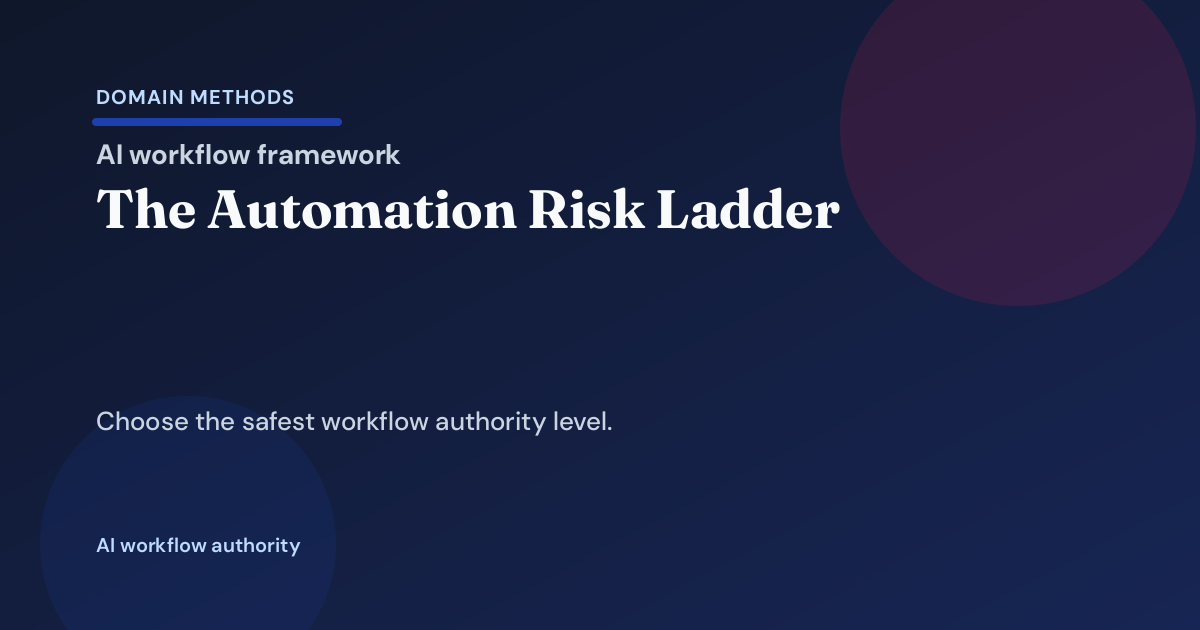
The Automation Risk Ladder: Suggest, Assist, Route, or Act
- Jason B. Hart
- Data Engineering
- April 23, 2026
- Updated June 17, 2026
Table of Contents
What is the automation risk ladder?
The automation risk ladder is a practical way to decide whether a workflow should only suggest, assist, route, or act before a promising automation turns into an operating risk.
A lot of teams do not blow up automation because the model is terrible.
They blow it up because they give the workflow too much authority too early.
The workflow starts as a good idea:
- summarize a record before a rep looks at it
- draft the next action for an ops review
- route a lead into the right queue
- trigger a status change or follow-up automatically
Then the room skips one hard question: how much authority should this workflow actually have right now?
That is a different question from Should This Workflow Stay Manual, Go Rules-Based, or Use AI?. It is also different from How to Evaluate AI Workflow Readiness When CRM Data Hygiene Is Weak, The Workflow Exception Ownership Model, and The AI Pilot Exception-Handling Playbook.
Those pieces help you decide whether automation belongs at all, whether the underlying data is trustworthy enough, who owns the ugly cases, and how to run a pilot without fooling yourself.
This article sits in the middle of that sequence.
It answers the narrower operating question that usually decides whether the workflow feels useful or reckless:
If we do automate, what level of authority is appropriate today?
Why teams keep over-automating too early
There is a social reason this goes wrong.
Once a workflow looks plausible, the room starts talking as if the only serious version of success is full automation.
Suggesting a recommendation can feel timid. Requiring approval can feel slow. Routing can feel like a half measure. Direct action sounds decisive.
That is exactly why teams overreach.
Salesforce found that 84% of data and analytics leaders say their data strategies need a complete overhaul before AI strategies can succeed, and 42% lack full confidence in the accuracy and relevance of AI outputs.1 McKinsey’s 2025 global AI survey found that 51% of organizations using AI report at least one negative consequence, with AI inaccuracy the most commonly experienced risk.2
Those are not abstract governance problems. They show up in ordinary workflow decisions:
- a system drafts the right action often enough that the team stops checking when it is weak
- a routing model gets trusted faster than the queue design deserves
- a workflow starts firing live actions because the recommendation looked right in testing
- nobody writes down the signal that should force the workflow back down a level
That last point matters more than most teams realize.
A mature automation program is not the one that always climbs to direct action. It is the one that knows when to stay lower and when to step back down.
The ladder at a glance
Use the ladder to match workflow authority to consequence, reversibility, and operating coverage.
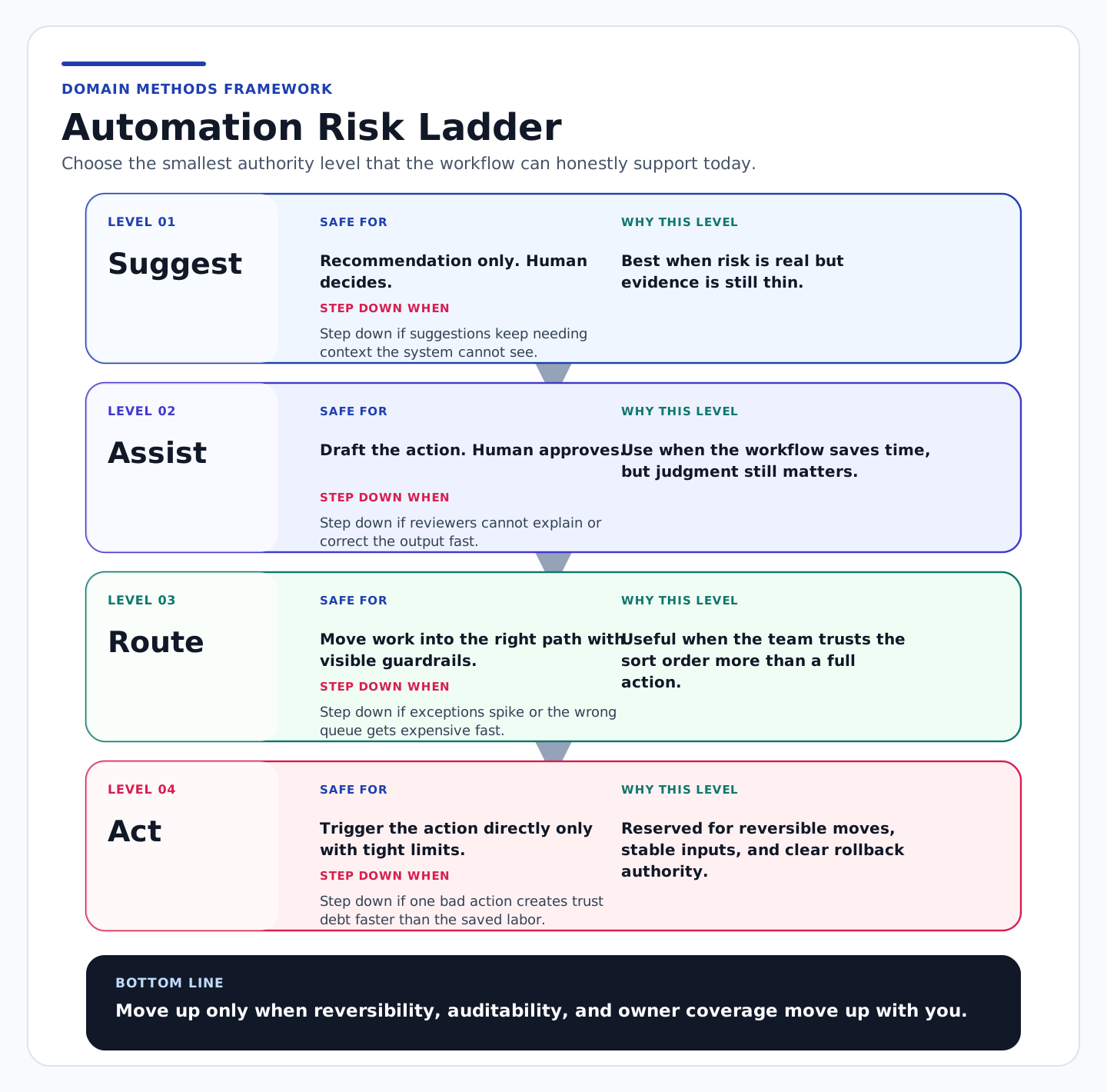
The key idea is simple:
climb the ladder only when your safeguards climb with it.
If the workflow authority rises but reversibility, auditability, owner coverage, or exception handling stay flat, the workflow is not becoming more mature. It is becoming harder to trust.
Level 1: Suggest
At the Suggest level, the workflow surfaces a recommendation and stops.
It does not move the record. It does not send the message. It does not change the status. It gives a human a clearer next look.
This level is underrated because it does not feel flashy.
It is also where a lot of useful automation should stay for longer than teams expect.
Suggest is usually the right level when:
- the workflow is helping a human spot a pattern faster
- the evidence is helpful but still incomplete
- the business consequence of being wrong is annoying, not catastrophic
- the room is still learning what kinds of exceptions show up in real life
A good operator tell here is whether people are still learning from the workflow. If the workflow is improving judgment but not yet ready to carry judgment, Suggest is a win.
The common mistake is treating Suggest as a temporary embarrassment instead of a legitimate operating state.
Level 2: Assist
At the Assist level, the workflow drafts or prepares the action, but a human still approves it.
This is where many good systems should live.
The workflow saves time. It standardizes the first pass. It reduces manual cleanup. But the human still confirms that the action is right before it lands.
Assist works well when:
- the workflow meaningfully reduces repetitive setup work
- reviewers can explain the output quickly
- the action is important enough to need approval but frequent enough that drafting still saves real time
- the team has a named person who actually owns the approval lane
The lived-in problem here is reviewer theater.
A workflow can look safe on paper because it says “human approval required,” but the approval step is meaningless if reviewers are overloaded, poorly trained, or quietly clicking through low-confidence cases just to keep work moving.
If review becomes ceremonial, the workflow is already carrying more authority than the room admits.
Level 3: Route
At the Route level, the workflow is allowed to move work into the right path, queue, or next operating lane with guardrails.
This is more consequential than Suggest or Assist because routing changes what happens next even if it does not complete the final action itself.
Route is usually right when:
- the workflow is good at sorting work into clearer paths
- the cost of the wrong route is real but still recoverable
- downstream owners can see, correct, and learn from the routed output
- exception handling is visible instead of private tribal knowledge
Routing often feels harmless because it stops short of the final action.
That is misleading.
Bad routing creates second-order damage fast:
- the wrong people inherit the work
- the queue priority gets distorted
- reviewers start trusting the pre-sort more than they should
- the room confuses smoother flow with cleaner judgment
If the wrong route creates expensive cleanup or hidden trust debt, Route may already be too high.
Level 4: Act
At the Act level, the workflow takes the action directly.
That can be safe. It is just far less common than teams pretend.
Act should usually be reserved for moves that are:
- tightly bounded
- highly reversible
- well-instrumented
- fed by stable inputs
- backed by a real pause or rollback path
- owned by someone who can stop the workflow without a political debate
Direct action is not dangerous because it is ambitious. It is dangerous because it compresses review time to zero.
That means every weakness upstream matters more:
- stale source data
- missing business context
- weak exception handling
- unclear owner coverage
- hidden queue logic
If one bad action can create customer confusion, revenue noise, or executive mistrust faster than the saved labor pays back, the workflow is already too high on the ladder.
A simple table for choosing the rung
| Level | Safe use case | Common failure mode | Minimum safeguards |
|---|---|---|---|
| Suggest | Surface a recommendation for human review | Teams mistake a helpful hint for production-ready judgment | visible recommendation, named user, simple feedback loop |
| Assist | Draft the action while a human approves | approval becomes rubber-stamp theater | named reviewer, clear override path, queue visibility |
| Route | Move work into the right path or queue | bad routing creates hidden cleanup and false confidence | exception logging, downstream correction path, queue owner |
| Act | Trigger the action directly | one wrong move creates trust debt faster than labor savings | stable inputs, rollback path, audit trail, clear stop authority |
If you cannot name the minimum safeguards in one breath, the rung is probably too high.
The five questions I would use in the room
When a team is debating workflow authority, I would not start with a maturity score. I would start with five questions.
1. What breaks first if the workflow is wrong?
This question cuts through vague optimism fast.
Not “What is the worst-case scenario?” That usually produces theater.
Ask what breaks first.
Do you waste reviewer time? Misroute leads? Create customer confusion? Trigger revenue noise? Force executive cleanup?
The first break tells you more than the dramatic break. It tells you where the workflow starts losing trust in normal operation.
2. How reversible is the action?
A workflow can carry more authority when the action is easy to unwind.
That sounds obvious, but teams skip it constantly.
Reversibility is the hidden governor of automation authority. If the workflow is wrong, can someone fix it in minutes without a political story afterward? Or does one bad move spread through routing, reporting, customer experience, or executive narrative?
If the answer is the second one, the workflow probably belongs lower.
3. How frequent are the weird cases?
Exception frequency matters because it tells you whether the workflow is mostly operating on stable ground or living off special handling.
If the weird cases show up every day, the room should not treat them as edge cases. They are the workflow.
That is often the point where a team realizes it does not have an automation problem. It has a source-data or ownership problem. When that happens, the next move is often closer to Data Foundation than to a more ambitious automation rollout.
4. Who can override, pause, and explain the output?
This is where many workflows get exposed.
Somebody can usually name the workflow owner. Far fewer teams can name:
- who corrects a wrong output
- who pauses the workflow when trust slips
- who explains the result to a skeptical operator
- who reviews the exception trend over time
If those answers are fuzzy, the workflow is carrying more authority than the team can govern.
5. What signal should force the workflow down one level?
This is the question most rooms never write down.
They debate how to move up. They almost never define the trigger for stepping down.
That is a mistake.
A real operating model needs a downgrade rule such as:
- exception volume spikes above a visible threshold
- reviewers cannot explain output quality consistently
- source-data freshness drops below the minimum bar
- one wrong route creates enough cleanup that the savings disappear
- a customer-facing miss changes how the business trusts the workflow
If you cannot name the step-down trigger, the workflow is probably not ready to move up.
When teams should deliberately step down a level
Stepping down is not failure. It is often the most mature move in the room.
Teams should deliberately step down when:
- the workflow is technically impressive but operationally under-owned
- reviewer quality is collapsing because the queue is moving too fast
- the workflow keeps surfacing source-data problems that no one wants to admit are upstream blockers
- the team is relying on manual rescue behind the scenes to preserve the illusion that the workflow is working
- the business is treating a reversible draft workflow like a trusted system of record
This is where a lot of AI workflow pain gets mislabeled.
The real problem is not that the model needs one more prompt tweak. The real problem is that the workflow is one rung too high for the discipline underneath it.
That is why stepping down can speed things up. It restores honesty.
A Suggest workflow with clean feedback often beats an Act workflow that constantly creates cleanup nobody wants to count.
A working-session sequence I would actually use
If I had 45 minutes with a RevOps lead, a business owner, and the operator who will absorb the fallout when the workflow is wrong, this is the sequence I would use.
1. Name one workflow only
Do not talk about “AI automation” in general. Pick one workflow, one action, and one team that lives with the consequence.
2. Write the current safest rung first
Force the room to choose the smallest honest authority level before anyone argues for the future-state ambition.
3. List the safeguards that already exist
Not the safeguards you plan to add later. The ones that already exist now.
4. Write the step-up proof
What evidence would justify moving the workflow up one rung later? Better exception handling? Cleaner source data? Tighter routing accuracy? A visible rollback path?
5. Write the step-down trigger
If the workflow starts underperforming, what signal immediately pushes it down a rung?
That one line prevents a lot of fake confidence.
Download the worksheet
Use this in the next workflow-scoping conversation where the team needs an honest answer on authority, guardrails, and downgrade triggers before the automation gets more power than the operation can support.
Download the Automation Risk Ladder Worksheet (PDF)
Use this worksheet to score one workflow's authority level, name the minimum safeguards, and write the trigger that should force the workflow down one rung before trust breaks. Download it instantly below. If you want future posts like this in your inbox, you can optionally subscribe below.
Instant download. No email required.
Want future posts like this in your inbox?
This form signs you up for the newsletter. It does not unlock the download above.
Bottom line
Most automation mistakes are not really model-selection mistakes.
They are authority mistakes.
The team lets the workflow do more than the surrounding operation can safely support.
Use the ladder to choose the smallest honest rung. Then earn the next rung with stronger safeguards, not stronger enthusiasm.
If the room still cannot tell whether the workflow is safe to Suggest, Assist, Route, or Act, that is usually a sign you need a clearer scoping conversation first. That is what AI-Ready Data Diagnostic is for. If the workflow debate is still really a mixed-up business question, start with Translate the Ask. If the ladder keeps exposing brittle source data, weak system authority, or unowned exceptions upstream, the next move is probably Data Foundation.
Sources
- Salesforce, State of Data and Analytics coverage: Study: 84% of Technical Leaders Need Data Overhaul for AI Strategies to Succeed
- McKinsey, The State of AI in 2025: Agents, Innovation, and Transformation: The State of AI: Global Survey 2025
Download the Automation Risk Ladder Worksheet (PDF)
A lightweight worksheet for scoring workflow authority, naming minimum safeguards, and writing the trigger that should force a workflow down one rung before trust breaks.
DownloadIf the room needs a grounded answer on what this workflow can safely automate
AI-Ready Data Diagnostic
Use the audit when the workflow sounds promising but nobody has a clean answer yet on scope, risk, owner coverage, or the right level of authority.
See the AI-Ready Data DiagnosticIf the real blocker is still scope clarity
Translate the Ask
Use Translate the Ask when the workflow conversation is still mixing together urgency, artifact preference, and implementation scope before the team even knows what decision needs support.
See the translation sprintSee It in Action
Common questions about the automation risk ladder
What is the automation risk ladder?
How is this different from deciding whether a workflow should stay manual, go rules-based, or use AI?
When should a workflow step down a rung?
When is direct action actually safe?

About the author
Jason B. Hart
Founder & Principal Consultant
Helps mid-size SaaS companies turn messy marketing and revenue data into decisions leaders trust.