Data Activation QA Checklist
- Jason B. Hart
- Data Activation
- May 21, 2026
Table of Contents
What is data activation QA?
Data activation QA is the check you run before warehouse, CRM, product, billing, or support data is allowed to change a live workflow. It is the difference between syncing a field and trusting what that field is about to do.
For a mid-size SaaS team, activation can mean a lot of things: a churn-risk score in Salesforce, a lifecycle audience in Braze, an expansion alert in Slack, a suppression list for ad spend, a product-qualified account flag in HubSpot, or a customer-health segment that changes the CS playbook.
The risky part is not always the reverse ETL tool. The risky part is the quiet assumption that because the value came from the warehouse, the downstream workflow is safe.
That assumption breaks in ordinary ways. The opportunity stage is stale. The account match chooses the wrong parent. A suppression rule misses customers with open support tickets. A field overwrite removes context a rep was using. A lifecycle audience keeps running after the product event changed meaning. Nobody notices until the business loses confidence in the automation.
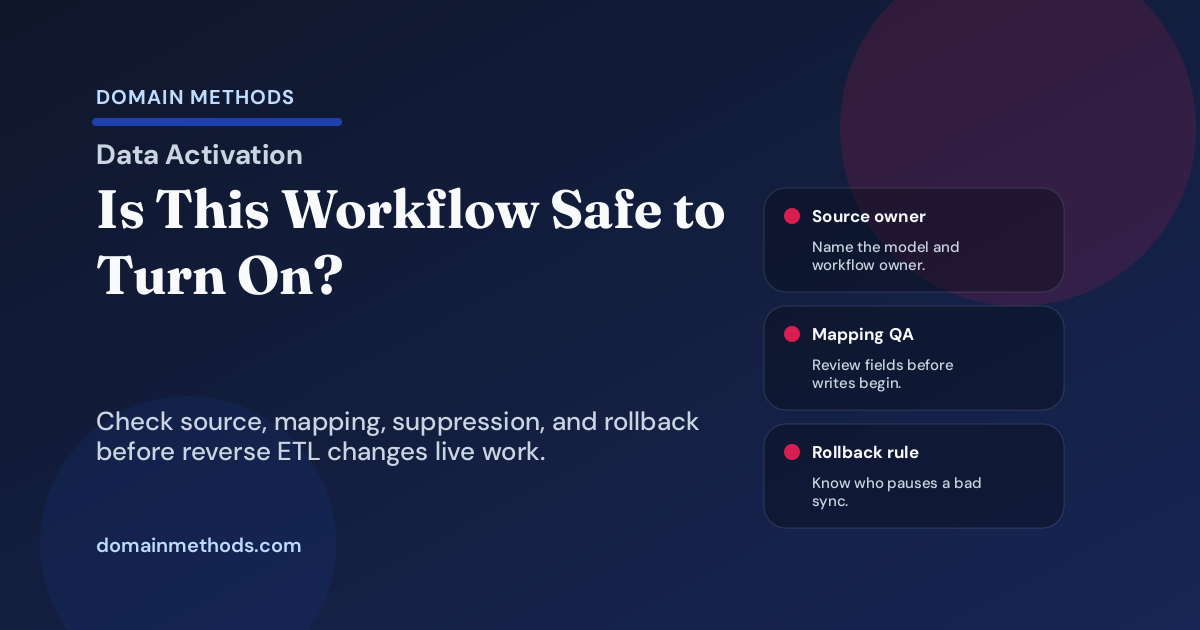
This checklist is for the moment before launch. It helps you decide whether an activated workflow is safe to turn on, whether it needs caveats, or whether the team should fix the operating contract first. If the team is still deciding whether reporting is ready to move into action, start with the Reporting-to-Activation Readiness Stack before turning the checklist into a launch gate.
The short version: six checks before activation goes live
Use this table before a reverse ETL sync, score, segment, alert, or CRM workflow touches customer-facing work.
| QA check | What has to be true | Launch risk if it is missing |
|---|---|---|
| Source model and owner | The model, source systems, business definition, and owner are named. | Nobody knows whether the value is wrong or just unpopular. |
| Destination mapping | Every written field, audience, or alert can be reviewed by the destination owner. | The sync overwrites, duplicates, or misroutes work in the CRM or lifecycle tool. |
| Freshness and cadence | Sync timing matches the decision’s risk and expiry window. | Old product behavior triggers new customer action. |
| Suppression and exclusions | Holdouts, unsubscribes, inactive accounts, open cases, and disqualified records are tested. | The workflow reaches people it should leave alone. |
| Alerts and rollback | Failures, spikes, null rates, and owner handoffs have a defined path. | The workflow breaks silently until a rep, customer, or executive finds it. |
| Post-launch review | Real examples are reviewed soon after launch and on a fixed cadence. | The workflow drifts while everyone assumes the automation is still correct. |
The practical test is simple: if a bad value could change a customer conversation, sales route, success priority, lifecycle journey, AI suggestion, or spend decision, it deserves QA before it deserves automation.
1. Name the source model and owner
Start with the boring question that prevents most later arguments: what exactly is being activated, and who owns it?
For a warehouse-to-CRM sync, the answer should be more specific than “the customer table” or “the churn score.” Name the dbt model, the source-system fields behind it, the definition owner, and the person who can approve a change after launch.
A useful launch note looks like this:
| Field | Example answer |
|---|---|
| Activated value | account_churn_risk_band |
| Source model | mart_customer_health.account_risk_current |
| Source systems | Product events, billing status, CRM account owner, support case severity |
| Business owner | Customer Success Ops |
| Data owner | Analytics engineering |
| Destination owner | Salesforce admin / RevOps |
| Workflow owner | CS director for renewal-risk plays |
The operator detail that matters: a source model can be technically tested and still be operationally unowned. If data owns the SQL but CS owns the playbook, both names need to be on the launch record.
Do not launch a workflow whose owner is “the data team.” The data team can own the model. The business still has to own the action.
2. Make destination field mapping reviewable
Most activation incidents happen downstream from the warehouse. A synced value lands in a CRM field, lifecycle segment, CS tool, product surface, or ad audience, and the destination behaves differently than the source team expected.
Before launch, review the mapping in plain language:
| Mapping question | Why it matters |
|---|---|
| Is the sync creating, updating, or overwriting the field? | Overwrites are where quiet damage happens. |
| What happens when the warehouse value is null? | Blank values can erase useful context or trigger false rules. |
| Is the account/contact/user match deterministic? | Fuzzy identity logic can activate the wrong record. |
| Who can edit the destination field manually? | Manual overrides can fight the sync unless precedence is clear. |
| Which downstream rules read this field? | One field can trigger routing, alerts, journeys, reports, and AI prompts. |
This is where RevOps, lifecycle, CS Ops, or the destination owner has to participate. A data engineer can confirm that the payload is shaped correctly. The destination owner confirms whether the write is safe in the system where people work.
A common failure mode is launching an apparently harmless enrichment field that is already used by a report, routing rule, or automation nobody mentioned. Search the destination system before writing to it.
3. Match freshness to workflow risk
Freshness is not a generic SLA. It is a workflow decision.
A weekly-refresh account tier might be fine for planning. It is dangerous for a daily sales alert. A product event from last month might be useful in a customer-health trend. It is suspect in a lifecycle trigger that sends a customer a message tomorrow morning.
Use this simple classification:
| Workflow type | Freshness question | Safer launch rule |
|---|---|---|
| CRM enrichment | How old can the value be before a rep misreads it? | Show freshness date near the field or in the note. |
| Sales or CS alert | Could an old signal cause wasted outreach? | Expire the alert after a short window. |
| Lifecycle audience | Could stale membership create bad messaging? | Recompute before send and test suppression rules. |
| AI-assisted recommendation | Could stale data create a confident wrong suggestion? | Include reason codes and timestamp in the workspace. |
| Spend or suppression audience | Could old inclusion waste budget or create compliance risk? | Require a pre-send or pre-upload count check. |
The QA question is not “did the sync run?” The question is “is this value fresh enough for what the workflow is about to do?”
That distinction saves teams from a familiar argument: data says the pipeline is green, but sales says the field is wrong. Both can be true if the pipeline succeeded after the decision window had already passed.
4. Test suppression and exclusion rules like they are part of the product
Suppression is not cleanup. Suppression is the safety system.
Before turning on an activated audience, score, or routing rule, test the records that should not be touched. Look for:
- unsubscribed contacts
- customers with open high-severity support cases
- accounts in a holdout group
- disqualified opportunities
- churned or inactive customers
- partners, employees, test accounts, and agencies
- accounts already in a conflicting lifecycle journey
- customers with contract, billing, privacy, or regional restrictions
The lived-in detail: the records you exclude are often more important than the records you include. A growth team may celebrate a 40,000-contact audience until someone asks how many current customers, sales-owned strategic accounts, or active support escalations are inside it.
Run a small sample review before launch. Pull 20 included records and 20 excluded records. Ask the destination owner whether those examples make sense. If the answer is “mostly,” do not automate yet.
5. Define alerts, failure handling, and rollback before launch
A workflow without rollback is not launched. It is just running until somebody complains.
For every activation workflow, name the failure signals:
| Failure signal | Example threshold | Owner response |
|---|---|---|
| Sync failure | Job fails once for a high-risk destination | Pause downstream automation and notify owner. |
| Row count spike/drop | Audience changes by more than 20% from prior run | Review sample records before next send or routing update. |
| Null rate increase | Destination field nulls double from baseline | Stop overwrites and inspect source-model change. |
| Match-rate drop | Account/contact match rate falls below expected range | Hold launch and inspect identity logic. |
| Destination error | CRM rejects writes or permission changes appear | Escalate to destination admin before retry storm. |
| Business complaint | Reps or CSMs flag wrong examples | Capture examples, classify cause, and decide whether to pause. |
The owner response matters more than the metric. A dashboard nobody owns is decoration. A Slack alert that fires after every sync but never names the rollback decision is just noise.
Write the rollback rule while everyone is calm. For example: “If null rate exceeds 5% or match rate falls below 92%, pause field overwrites, leave existing values untouched, and notify RevOps and analytics engineering before the next sync.”
That sentence is not bureaucracy. It is what lets the team move quickly without making the first incident a trust-destroying event.
6. Schedule the first post-launch review
Activation QA does not end at launch. The first review is where you learn whether the workflow changed behavior the way the team expected.
Schedule it before you go live. Do not wait for somebody to remember.
A good first review covers:
- five real examples where the workflow helped
- five examples where the signal looked wrong, stale, duplicated, or confusing
- whether the destination owner saw unexpected side effects
- whether downstream users understood the reason code or field context
- whether suppression worked on the records that mattered
- whether the workflow should expand, stay limited, or be paused
The key is not proving the automation was perfect. It is creating a safe loop for discovering what real users do with activated data once it leaves the warehouse.
That is where many teams skip a step. They ship the sync, celebrate the launch, and only review the workflow after adoption drops or a sales manager says the field is unreliable. By then, the data team is defending its SQL instead of improving the handoff.
What to do when the checklist fails
Failing the checklist is not a reason to abandon data activation. It tells you what kind of work comes first.
| If the weak spot is… | Do this before launch |
|---|---|
| Source precedence, identity logic, dbt tests, or warehouse trust | Fix the Data Foundation layer before pushing the value into live workflows. |
| Workflow value or business ownership | Clarify whether the use case is valuable enough to automate through The $500K Question. |
| Destination field ownership or CRM rules | Bring RevOps or the destination admin into the mapping review before writing fields. |
| Suppression and holdout logic | Run a sample review and keep the audience manual until exclusions are trusted. |
| Failure handling and rollback | Launch in read-only or alert-only mode until the owner can pause, repair, and restart safely. |
| Post-launch adoption | Keep the workflow limited to one team, one destination, or one segment until real examples prove it works. |
This is not about slowing everything down. It is about moving the risk to the right place. A workflow can be valuable and still not be ready for automated action.
Where Data Activation fits
Use Data Activation when the team has a clear workflow and needs help making it safe enough to ship: source contract, destination mapping, sync setup, monitoring, handoff, and launch review.
Use Data Foundation when the underlying data cannot yet support the promise: source precedence is contested, identity stitching is brittle, CRM hygiene is weak, dbt models lack tests, or warehouse logic changes without ownership.
The handoff is where the work becomes real. A reverse ETL platform can move the value. Domain Methods helps decide whether the value is trusted enough to change what sales, marketing, success, product, or AI workflows do next.
Data Activation QA Checklist
Use this lightweight worksheet to review source ownership, field mapping, freshness, suppression, alerts, rollback, and the first post-launch review before a reverse ETL workflow goes live.
Instant download. No email required.
Want future posts like this in your inbox?
This form signs you up for the newsletter. It does not unlock the download above.
Download the Data Activation QA Checklist (PDF)
A lightweight worksheet for checking source ownership, field mapping, freshness, suppression, alerts, rollback, and post-launch review before a workflow goes live.
DownloadReady to ship a workflow safely?
Data Activation
Use the activation sprint when the team knows the workflow it wants to launch and needs governed implementation, QA, monitoring, and handoff.
See Data ActivationInputs not trustworthy yet?
Data Foundation
Start with the foundation work when source precedence, CRM hygiene, identity logic, dbt tests, or warehouse trust must be repaired before activation.
See Data FoundationSee It in Action
Common questions about data activation QA
What is data activation QA?
Is this different from choosing a reverse ETL tool?
Who should own the checklist?
When should a team pause activation instead of launching?
Where should a SaaS team start if the data is not ready?

About the author
Jason B. Hart
Founder & Principal Consultant
Helps mid-size SaaS companies turn messy marketing and revenue data into decisions leaders trust.