Customer Health Score Handoff Checklist: When CS Can Trust the Signal
- Jason B. Hart
- Data Activation
- May 3, 2026
- Updated June 17, 2026
Table of Contents
What is a customer health score handoff?
A customer health score handoff is the operating agreement that tells Customer Success when a health or churn-risk signal is trusted, where it lands, who acts on it, and what context must travel with it.
That handoff matters more than the score itself.
Most SaaS teams do not fail here because nobody can build a risk score. They fail because the score arrives as a number in a dashboard, a CRM field, or a Slack alert with no reason code, no suppression rule, and no clear owner for what happens next.
A CSM opens an account, sees a red health score, and still has to ask the real questions: is this stale? Is the account actually at risk? Did support already know this? Is billing driving the signal? Should I call, wait, escalate, or ignore it?
If the handoff cannot answer those questions, the score is not ready to run the workflow.
The score is not the CS motion
A health score is useful only when it changes a specific behavior.
For one PLG SaaS team, the useful move was not “show churn risk in Looker.” CS already had plenty of dashboards. The useful move was pushing churn-risk and product-usage signals into the workflow fast enough for CSMs to intervene before the account went quiet. That is the practical lesson behind the PLG churn activation case study: the warehouse signal mattered because it reached the operating system where the team could act.
That is the difference between analysis and activation.
Name the behavior before you debate the model:
| If the score changes… | The handoff must define… | Do not skip… |
|---|---|---|
| CS prioritization | Which accounts move up the book review and for how long | Whether enterprise, onboarding, and renewal accounts use the same rule |
| CRM or Slack alerts | What event triggers the alert and what action follows | Whether the alert expires or repeats |
| Renewal-risk workflow | Which risk band starts the save motion | Who owns the action if sales, support, and CS all touch the account |
| AI-assisted next action | What recommendation can be suggested, drafted, or routed | Which actions still require human review |
| Leadership reporting | Which score bands can be summarized safely | Whether the score is validated enough for trend claims |
A score without this agreement is not operationalized. It is just visible.
The minimum handoff table
Before the score touches a customer workflow, put the operating rules in one place.
Keep the table boring. Boring is good here. The goal is not to impress the data team with model sophistication. The goal is to make sure a CSM, RevOps admin, support lead, and VP of CS can all explain what the score is allowed to change.
| Handoff question | Good enough answer | Warning sign |
|---|---|---|
| What decision does the score support? | “Prioritize CSM outreach for active accounts with risk above 70 and renewal inside 120 days.” | “Help CS focus on risky customers.” |
| Which signals explain the score? | Recent usage drop, seat expansion stall, support escalation, billing status, lifecycle stage, and freshness are visible. | CS only sees red/yellow/green. |
| Which accounts should be suppressed? | Implementation, billing dispute, known outage, strategic account, and recently contacted exceptions are documented. | Every high-risk account triggers the same motion. |
| Who owns action? | Account owner, CSM, support escalation owner, and RevOps workflow owner are named. | The alert goes to a shared channel and hopes someone acts. |
| How does CS give feedback? | CSMs flag false positives, missed risks, and bad reason codes in a reviewed field or workflow. | Feedback lives in Slack and disappears. |
The warning signs usually show up fast. A CSM says, “This customer is marked high risk because usage dropped, but they moved teams during implementation.” Support says, “We already have an escalation open.” Finance says, “They are not churning; they are late on procurement paperwork.”
That is not always a model failure. Often it is a handoff failure.
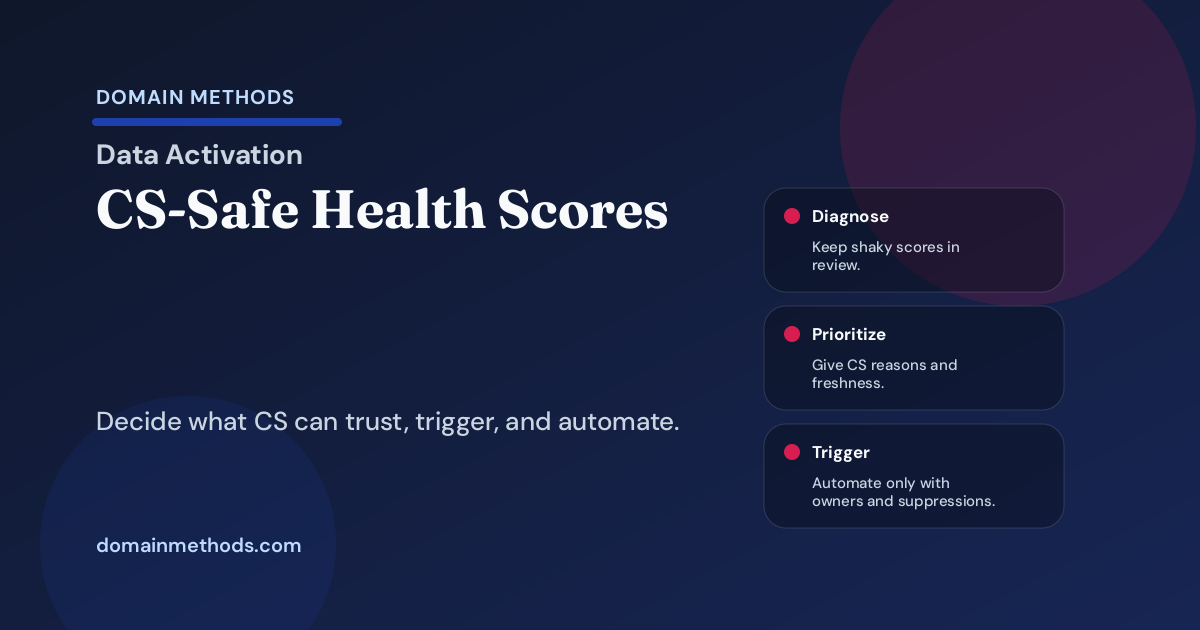
Four authority levels for a health score
A customer health score does not need full workflow authority on day one.
Give it the amount of power it has earned:
| Authority level | What the score can do | What must be true first |
|---|---|---|
| Diagnose only | Help CS and ops investigate patterns in a dashboard or review meeting | The team still does not trust source freshness, identity, or reason codes enough for action |
| Prioritize manually | Move accounts into a CSM review list with context | CSMs can see why the account moved and can override with a reason |
| Trigger workflow | Create CRM tasks, Slack alerts, playbook steps, or renewal-risk queues | Suppression rules, owners, expiration, and false-positive review are in place |
| Safe for AI-assisted action | Suggest next steps, draft notes, route recommended actions, or summarize risk | The workflow has stable source data, clear human review boundaries, and a feedback loop |
This table prevents the usual overreach. A team sees a promising risk score and immediately wants automated save plays, QBR narratives, executive churn forecasts, and AI next-best-action prompts.
Start narrower.
Let the score prioritize a review list. Require reason codes. Track CSM disagreement. Then give the score more authority when the workflow earns it.
What CS needs to see before acting
CS does not need a model notebook. CS needs enough context to act without guessing.
A usable health-score handoff should answer five questions inside the system where work happens:
- Why this customer now? Show the usage, support, lifecycle, billing, or engagement signals that moved the score.
- How fresh is the signal? A product drop from yesterday and one from six weeks ago should not trigger the same response.
- What should the owner do next? Name the action: review, call, escalate, route to support, wait, or suppress.
- What exception applies? Implementation, outage, billing dispute, enterprise coverage, and recent outreach rules should travel with the score.
- Where does feedback go? Make false positives and missed risks part of the workflow, not a side conversation.
This is why data activation is not just a tooling topic. The score is not finished when it appears in reporting. It is finished when the right context reaches the person who owns the next step.
If the CRM, CS platform, or Slack alert cannot carry the reason code, owner, freshness, and suppression rule, fix that before adding another color band.
Where customer health handoffs usually break
The messy part is rarely the first model run. The messy part is the second month.
CS has acted on enough accounts to notice flaws. Some red accounts were not at risk. Some quiet accounts churned anyway. Some accounts are noisy because usage data moved from one workspace to another. Some renewal-risk fields disagree with finance. Nobody knows whether the next version of the score should change the model, the CRM sync, the playbook, or the source definition.
That is the operating layer the handoff has to cover:
| Break point | What it looks like | Fix before escalation |
|---|---|---|
| Account identity | Usage belongs to a workspace, but ownership lives at the parent account | Set account hierarchy and workspace mapping rules |
| Reason codes | CS sees “high risk” but not the signal that caused it | Expose the top risk factors in the workflow |
| Suppression rules | Billing disputes and outages trigger normal churn plays | Document exceptions and expiration rules |
| Workflow owner | Alerts fire, but nobody owns follow-up quality | Name the CSM, RevOps, and escalation owners |
| Feedback loop | CSMs complain in Slack, but the model never learns | Capture misses in a reviewed field or queue |
This is also where AI pressure can make the problem worse. If the health score cannot explain itself, an AI recommendation built on top of it will sound confident while hiding the same uncertainty. Use the AI Workflow Readiness Checklist before turning a shaky score into automated guidance.
The 45-minute handoff agenda
Do not make this a quarter-long governance program. One focused working session can expose the obvious gaps.
Bring one real account that the score marked as risky. Put the CRM record, product events, support tickets, billing context, and proposed next action on screen.
| Time | Discussion | Output |
|---|---|---|
| 0-5 min | Name the score and CS behavior it may change | One sentence: “This score will change…” |
| 5-15 min | Review the signals, freshness, and reason codes | Required fields or context cards |
| 15-25 min | Check account identity, owner fields, and suppressions | Exceptions and data-quality blockers |
| 25-35 min | Choose the authority level | Diagnose only, prioritize manually, trigger workflow, or AI-assisted action |
| 35-45 min | Define the feedback loop | Where bad examples go and who reviews them |
The agenda works best when the group is small: CS, RevOps, data/analytics, and whoever owns the workflow destination. More people can review the outcome. They do not all need to debate the first pass.
Download the Customer Health Score Handoff Checklist (PDF)
Use this text-first worksheet to run the 45-minute review, set the score's authority level, and name the proof needed before customer-health signals drive CS workflows or AI-assisted action. Download it instantly below.
Instant download. No email required.
Want future posts like this in your inbox?
This form signs you up for the newsletter. It does not unlock the download above.
A health score earns trust in stages
The goal is not to slow every CS analytics project until the data is perfect.
The goal is to stop confusing a score with a handoff.
Start with one decision. Give CS the reason codes. Name the owners. Suppress the obvious exceptions. Review the misses. Then let the score move from diagnosis to prioritization to workflow triggers only when the operating system can support that authority.
If the signal is ready but trapped in dashboards, the next move is Data Activation: getting trusted customer health and churn-risk signals into the workflows where CS actually works.
If the team wants AI-assisted next actions but the source data, CRM hygiene, account identity, or owner rules are not reliable enough yet, start with the AI-Ready Data Diagnostic before automation makes the problem harder to unwind.
Download the Customer Health Score Handoff Checklist (PDF)
A lightweight worksheet for deciding whether a health score should stay diagnostic, guide manual prioritization, trigger a workflow, or support AI-assisted action.
DownloadIf the score is ready but action is trapped
Data Activation
Use Data Activation when customer health, usage, and renewal-risk signals need to reach CS teams as trusted workflows, alerts, and next-best actions.
See Data ActivationIf automation would make the workflow riskier
AI-Ready Data Diagnostic
Use the audit when CRM hygiene, source precedence, workflow ownership, or reason-code gaps make automated CS recommendations unsafe.
See the AI-Ready Data DiagnosticSee It in Action
Common questions about customer health score handoffs
When is a customer health score ready for CS to trust?
Should churn-risk scores automatically trigger customer outreach?
What makes customer health scores fail after the model is built?
How is this different from retention confidence reporting?

About the author
Jason B. Hart
Founder & Principal Consultant
Helps mid-size SaaS companies turn messy marketing and revenue data into decisions leaders trust.