CRM Field Ownership Before Reverse ETL Syncs
- Jason B. Hart
- Data Activation
- May 23, 2026
- Updated June 17, 2026
Table of Contents
What is CRM field ownership before reverse ETL?
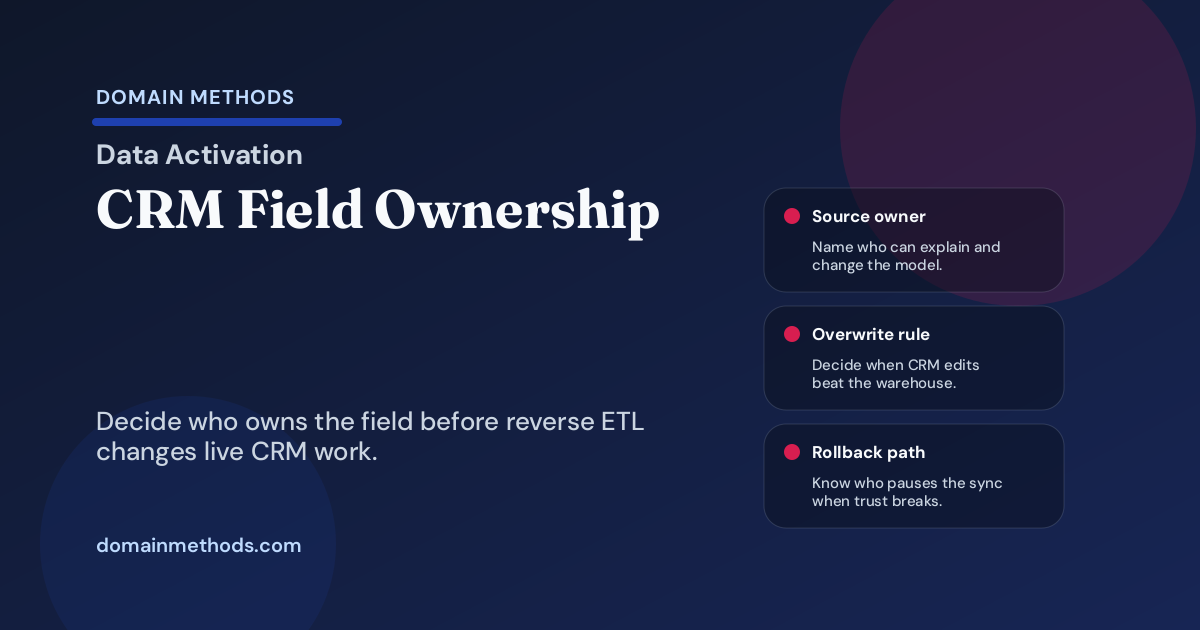
CRM field ownership is the operating agreement that says who defines, maintains, overwrites, reviews, and pauses a synced field once warehouse data starts changing work in Salesforce, HubSpot, or another GTM system.
A synced CRM field is not just a column. It is a workflow commitment.
The field might look harmless in the warehouse: product_qualified_account, lifecycle_stage, churn_risk_band, customer_tier, or next_best_action_reason. Then it lands in CRM, and suddenly a rep changes outreach, a CSM reprioritizes an account, marketing suppresses a journey, or an AI workflow uses the value to draft the next move.
That is where activation work gets political. Data owns the model. RevOps owns the CRM. Sales or CS owns the behavior. Leadership owns the outcome. If nobody writes down how those owners share the field, the first bad example turns into a credibility fight instead of a fix.
This is the checklist to run before a warehouse-backed field, score, band, or reason code gets synced into CRM through Data Activation, reverse ETL, workflow automation, or native platform rules. It sits next to the broader Data Activation QA Checklist: that piece asks whether the whole workflow is safe to launch; this one narrows the question to CRM field ownership before the first write.
The short version: decide this before the sync
Use this table before writing any warehouse-backed field into Salesforce, HubSpot, or a CRM-adjacent workflow.
| Ownership question | Good answer | Launch risk if it is missing |
|---|---|---|
| What business decision does this field change? | The action is specific: route, prioritize, suppress, review, assign, or personalize. | The field becomes decoration or, worse, an unexplained trigger. |
| Who owns the source model? | A named data or analytics owner can explain lineage, tests, and changes. | Nobody knows whether the value is wrong or just unpopular. |
| Who owns the destination field? | RevOps or the CRM admin owns write behavior, permissions, layout, automation, and dependencies. | The sync overwrites context or triggers downstream rules nobody reviewed. |
| Who owns the business outcome? | Sales, marketing, CS, or growth owns how people should behave differently. | Data ships a value, but the operating team never adopts it. |
| Who owns QA and rollback? | A named owner can pause the sync, notify users, and decide what happens to existing values. | The first incident becomes a meeting instead of a rollback path. |
The operator test is simple: if the field can change a queue, message, route, recommendation, status, score, renewal motion, or AI prompt, it needs ownership before it needs automation.
Field ownership questions before sync
Start with one field. Not the whole Customer 360. Not the whole reverse ETL program. One field.
Answer these questions in plain English:
| Question | Why it matters |
|---|---|
| Who owns the business meaning? | A field like qualified_account sounds obvious until sales, marketing, and CS use different thresholds. |
| Who owns the source model? | The warehouse owner can explain lineage, tests, joins, and recent changes. |
| Who can overwrite the destination value? | Rep edits, admin fixes, manual exceptions, and sync writes need precedence rules. |
| What is the update frequency? | A daily value may be fine for segmentation and unsafe for urgent routing. |
| What should a user do differently? | If no behavior changes, the field may not belong in CRM yet. |
| What happens when CRM-native data conflicts with warehouse data? | This is where duplicate accounts, manual stage edits, and source-precedence fights surface. |
| Who gets alerted when it fails or looks wrong? | A silent sync failure is still a workflow failure if people keep trusting the field. |
The practical detail most teams miss: the destination owner has veto power. A field that is clean in dbt can still be unsafe in CRM if the destination has automations, layouts, permission rules, or manual practices the data team has not seen.
A simple field ownership matrix
Use this matrix for each field before launch.
| Field | Source model owner | Destination owner | Business owner | QA / rollback owner | Overwrite rule |
|---|---|---|---|---|---|
| Product-qualified account score | Analytics engineering | Salesforce admin / RevOps | Growth or sales development leader | RevOps operations lead | Warehouse may update score; manual override expires after review. |
| Lifecycle stage override | RevOps analytics | HubSpot admin / lifecycle ops | Lifecycle marketing lead | Lifecycle ops owner | Warehouse cannot overwrite sales-owned active-opportunity stage. |
| Churn-risk or health band | Data / CS analytics | Salesforce admin / CS Ops | Customer success leader | CS Ops owner | Sync updates only when reason code and freshness date are present. |
| Customer tier / segment | Finance or RevOps analytics | CRM admin | Revenue leadership | RevOps owner | Tier changes require source precedence and effective date. |
| Next-best-action reason code | Analytics engineering | CRM workflow owner | Sales or CS manager | AI/workflow review owner | Recommendation is read-only until adoption examples pass review. |
This is intentionally not a RACI poster. It is a launch artifact. If a row cannot be filled with actual names, the field is not ready for a live sync.
Salesforce and HubSpot examples that usually expose the real owner
Product-qualified account score
A product-qualified account score sounds like a data field. In practice, it changes sales behavior.
Before syncing it into Salesforce or HubSpot, decide whether reps should use it as a prioritization hint, a routing input, a workflow trigger, or a reporting attribute. Those are different risk levels. A score that only suggests a call list can tolerate more caveat than a score that changes ownership or fires a sequence.
Link the score to the Lead Scoring Sales Handoff Checklist if the real question is whether sales should trust the handoff, not whether the model can run.
Lifecycle stage override
Lifecycle stage is where ownership fights get expensive. Marketing may define the journey state. Sales may own active opportunity context. RevOps may own the CRM field. Data may own the model that computes stage. The CRM may already have automation that reads the field.
Do not let a warehouse sync overwrite lifecycle stage just because the warehouse model looks cleaner. Write the conflict rule first: which source wins, when, and who approves exceptions?
Churn-risk or health band
A churn-risk band changes what a CSM does next. That means it needs more than a band label. It needs a reason code, timestamp, source context, and a human path for exceptions. If the field is part of a post-sale motion, pair this ownership check with the Customer Health Score Handoff Checklist so the score changes CSM behavior instead of just adding another badge to the account.
If the band will influence AI-assisted prioritization, run the AI-Ready Data Diagnostic lens before the workflow gets more authority. The question is not whether the model predicts risk. The question is whether the team can explain and safely act on a specific account. If CRM hygiene is already shaky, use the CRM data hygiene workflow-readiness checklist before letting the band power recommendations.
Customer tier or segment
Customer tier often mixes finance logic, contract status, product usage, support load, and GTM segmentation. If that field powers routing, entitlement, lifecycle suppression, or executive reporting, it cannot be a casual enrichment.
The common failure mode is letting a warehouse tier overwrite a CRM tier while finance, CS, and sales still use different definitions. That is usually a Data Foundation problem before it is an activation problem.
Next-best-action or reason code
Reason codes are where CRM field ownership meets AI readiness. If a workflow recommends “expand,” “save,” “suppress,” or “handoff,” the reason code must travel with the recommendation. The same logic shows up in the CRM Workflow Reliability Benchmark and in examples like revenue-band scoring logic: the value is only useful when the receiving team understands what it means and what to do next.
A recommendation without a visible reason code creates two bad options: people ignore it because they cannot trust it, or they follow it because it sounds authoritative. Neither is a good operating model.
Common failure modes
These are ordinary. That is why they deserve launch rules.
| Failure mode | What it looks like | Safer rule |
|---|---|---|
| Synced fields nobody sees | The value lands in CRM but not in the record view, queue, or playbook. | Do not sync until the user-facing surface and behavior are named. |
| Rep-overwritten values get overwritten back | A rep corrects context; the nightly sync erases it. | Write manual override precedence and expiry rules before launch. |
| Duplicate accounts update the wrong record | Parent/child or duplicate account logic chooses the wrong destination. | Require identity match QA and sample review before enabling writes. |
| Stale fields power automation or AI | A week-old signal triggers outreach, routing, or recommendation. | Show freshness and expire the action when the value ages out. |
| Destination rules are hidden | A field write triggers a workflow, report, score, or journey nobody reviewed. | Inventory downstream dependencies before enabling writes. |
The pattern is the same: the technical sync succeeds, but the operating contract fails.
Decide: sync now, fix CRM hygiene first, or run AI readiness work
You do not need a giant governance program to make the next move. You need an honest decision.
| If the situation is… | Best next move |
|---|---|
| Field meaning, source owner, destination owner, and rollback path are clear | Launch through Data Activation with QA, sample review, and a post-launch adoption check. |
| Account/contact matching, source precedence, or CRM hygiene is weak | Fix the foundation first, especially if duplicate records or contested lifecycle fields are involved. |
| The field will feed scoring, routing, recommendations, personalization, or AI-assisted work | Run an AI readiness review before the field is allowed to suggest, assist, route, or act. |
| The business owner cannot say what users should do differently | Keep the field out of CRM until the workflow is clearer. |
| Manual overrides and warehouse writes will fight each other | Decide precedence, expiry, and exception ownership before any sync writes to production. |
This is where teams sometimes confuse speed with maturity. The mature move is not always to sync the field faster. Sometimes it is to keep the field read-only, launch it to a pilot group, or leave it in a dashboard until the operating owner can defend the behavior.
Pre-launch checklist
Before the field goes live, confirm:
- the field has one named business decision or workflow
- the source model, source systems, and model owner are documented
- the destination field owner has reviewed write behavior and dependencies
- overwrite, null, and manual override rules are written
- freshness is visible or encoded in the workflow
- identity matching has been sample-tested against real CRM records
- downstream automations, reports, routes, journeys, and AI prompts have been checked
- rollback has an owner and a threshold
- users know what to do differently because the field exists
- the first post-launch review is already on the calendar
Download the CRM Field Ownership Checklist (PDF)
Use this lightweight worksheet to assign source, destination, business, QA, overwrite, freshness, and rollback ownership before syncing warehouse-backed fields into Salesforce or HubSpot.
Instant download. No email required.
Want future posts like this in your inbox?
This form signs you up for the newsletter. It does not unlock the download above.
What to do after the field launches
The first review should happen quickly. Not next quarter. Not after adoption mysteriously disappoints. Soon enough that the team still remembers what it expected the field to change.
Review a small set of real records:
- five examples where the field helped someone make a better move
- five examples where the field looked wrong, stale, confusing, or ignored
- any manual overrides that fought the warehouse write
- any downstream automations that used the field unexpectedly
- whether users understood the reason code or supporting context
If the field works, expand it deliberately. If it fails, classify the failure. Was it source data, destination behavior, business definition, workflow design, or training? That classification tells you whether the next step is Data Activation, Data Foundation, or AI readiness work.
The goal is not to make CRM field ownership heavy. The goal is to prevent a useful warehouse signal from becoming one more field people stop trusting.
Download the CRM Field Ownership Checklist (PDF)
A lightweight worksheet for assigning source, destination, business, QA, overwrite, freshness, and rollback ownership before syncing warehouse-backed fields into CRM.
DownloadReady to turn trusted fields into safer workflows?
Data Activation
Use Data Activation when the team knows which CRM workflow it wants to improve and needs governed implementation, QA, and handoff.
See Data ActivationWill this field power AI, routing, or recommendations?
AI-Ready Data Diagnostic
Use the audit when CRM fields will feed scoring, routing, personalization, or AI-assisted work and the team needs to know what is safe to suggest, assist, route, or act on.
See the AI-Ready Data DiagnosticSee It in Action
Common questions about CRM field ownership
What is CRM field ownership?
Why does field ownership matter before reverse ETL?
Who should own a warehouse-backed CRM field?
When should a team pause instead of syncing the field?

About the author
Jason B. Hart
Founder & Principal Consultant
Helps mid-size SaaS companies turn messy marketing and revenue data into decisions leaders trust.