Before You Let an AI Agent Touch Revenue Work, Write the Activation Contract
- Jason B. Hart
- AI Readiness
- May 23, 2026
- Updated June 17, 2026
Table of Contents
The AI agent is not the hard part
An AI agent touching revenue work is not just an AI problem. It is a data activation problem with a more confident interface.
That matters because the failure mode is ordinary. A model recommends the wrong accounts because duplicates are unresolved. A rep sees a churn-risk note with no reason code. A lifecycle journey uses a stale customer segment. A forecast summary repeats pipeline commentary that RevOps already knows is contested. Nobody meant to automate bad work. The team just let a system act before the operating contract was written.
For a mid-size SaaS company, this is the uncomfortable middle between experimentation and production. Leadership wants AI in the revenue motion. Vendors make it sound like the next step is agent tooling. The real next step is deciding what the workflow is allowed to do, which inputs it can trust, who owns exceptions, and when the answer is “not yet.”
That is what an AI activation contract is for.
Use this alongside AI Readiness Through Data Hygiene when the workflow question depends on CRM cleanliness, source trust, and whether the team should suggest, assist, route, or automate.
What is an AI activation contract?
An AI activation contract is a workflow-level agreement that defines what an AI-assisted revenue workflow can use, decide, write, route, or trigger before it touches live GTM work.
It is not a generic AI policy. It is not a vendor implementation plan. It is the plain-English record that answers the questions operators actually ask after the demo is over:
- Which revenue workflow is being influenced?
- Which source systems and models are trusted enough for this use case?
- What is the grain: account, contact, lead, opportunity, subscription, user, or household?
- What can the AI do: suggest, assist, route, or act?
- Which records should be suppressed or excluded?
- Who owns the business decision, the model, the destination field, and the exception path?
- What happens when the output is stale, wrong, disputed, or no longer safe?
The contract is what keeps “AI in revenue” from becoming a collection of unowned Slack alerts, CRM notes, enrichment fields, routing rules, and customer messages that nobody can explain.
The contract fields that matter
Use the contract before an AI system suggests, writes, enriches, routes, scores, or triggers anything that changes customer or revenue work.
| Contract field | What to write down | Operator test |
|---|---|---|
| Workflow and decision | The exact sales, marketing, success, lifecycle, or forecast workflow being influenced. | Can a VP explain what behavior should change? |
| Source systems and trusted models | CRM, product, billing, support, warehouse, dbt models, enrichment, and the named source of truth. | Would the team defend these inputs in a review meeting? |
| Entity grain and identifiers | Account, contact, user, opportunity, subscription, plus matching rules and stable IDs. | Could the workflow act on the wrong record? |
| Business owner and data owner | The person who owns the action and the person who owns the input logic. | Does each owner have the authority to pause or change the workflow? |
| Authority level | Suggest, assist, route, or act. | Is the system’s authority lower than or equal to the team’s confidence? |
| Confidence and freshness thresholds | Minimum score, required reason codes, field age, sync cadence, and expiry rules. | Will stale data quietly create confident recommendations? |
| Suppression and exclusion rules | Customers, open opportunities, strategic accounts, opt-outs, support escalations, holdouts, low-confidence matches. | Which records must the workflow leave alone? |
| Destination and visible context | Salesforce, HubSpot, Slack, CS tool, lifecycle platform, forecast note, task, field, or queue. | Will the user see why the recommendation exists? |
| Exception owner and rollback path | Who investigates bad examples, who pauses the workflow, and what gets reverted. | Is there a named response before the first incident? |
| Audit trail | What was suggested, what changed, who reviewed it, and when. | Can the team reconstruct what happened after a customer or executive asks? |
The practical detail: this does not need to be a 40-page governance document. It needs to be specific enough that a sales manager, RevOps lead, data owner, and executive sponsor are not guessing from different versions of the same workflow.
AI Activation Contract Worksheet
Use the worksheet to document the workflow, trusted inputs, authority level, suppression rules, exception owners, rollback path, and launch checks before an AI-assisted revenue workflow goes live.
Instant download. No email required.
Want future posts like this in your inbox?
This form signs you up for the newsletter. It does not unlock the download above.
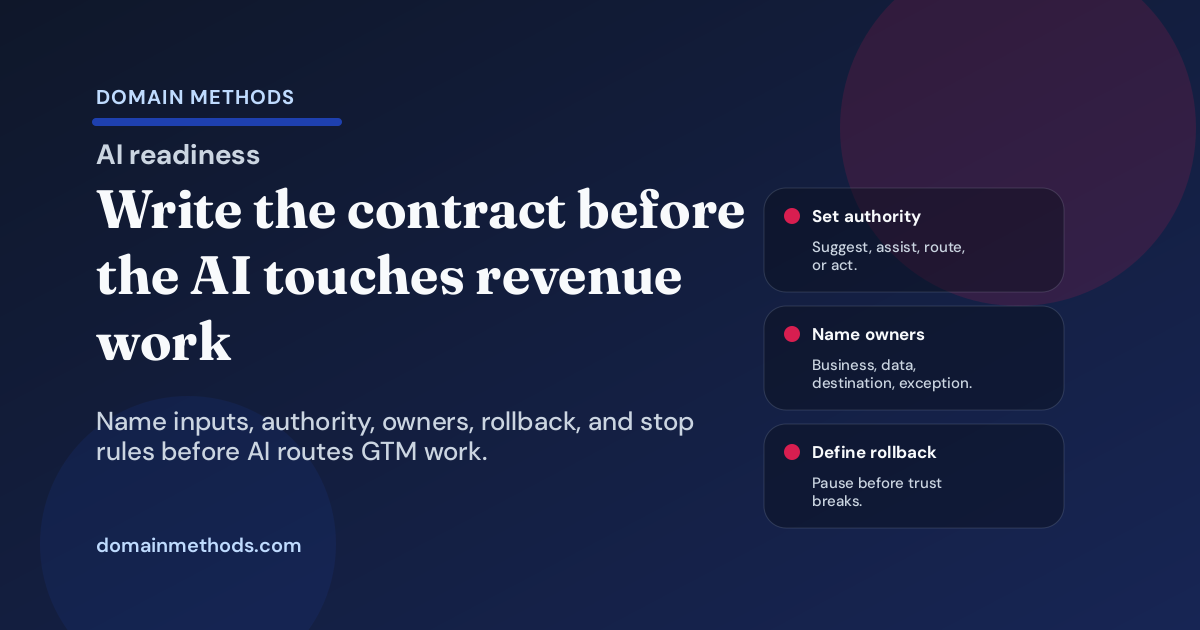
Start with authority: suggest, assist, route, or act
The fastest way to make an AI workflow unsafe is to give it more authority than the data deserves.
Use the same authority ladder from The Automation Risk Ladder and make the contract explicit:
| Authority level | What the AI can do | Use when | Do not use when |
|---|---|---|---|
| Suggest | Surface a recommended next step with context. | Inputs are useful, but a human should decide. | The output is shown without reason codes or confidence. |
| Assist | Draft notes, summaries, tasks, or next actions for review. | The workflow saves time but still needs human approval. | Users will accept the draft as truth because it looks official. |
| Route | Send records to a queue, owner, play, or review path. | Ownership, suppression, and escalation rules are stable. | Duplicate records, territory logic, or lifecycle definitions are still disputed. |
| Act | Update fields, trigger messages, create tasks, change status, or move money/work. | The inputs, stop conditions, owners, and rollback path are proven. | The team cannot explain how to pause, audit, or reverse the action. |
Most revenue workflows should start in suggest or assist mode. That is not timid. It is how you learn whether users trust the signal before you let it redirect work.
A common operator tradeoff: executives ask for automation because the manual process is slow. The team then discovers the manual process was the only place where judgment, caveats, or customer context lived. The contract makes that judgment visible before automation strips it away.
Five GTM workflows where the contract pays for itself
1. Lead or account prioritization
A scoring agent can help sales focus. It can also route the wrong accounts if identity matching, territory rules, enrichment fields, or qualification definitions are weak.
For a lead/account prioritization workflow, the contract should name the account-matching logic, source model, territory owner, suppression rules, reason codes, and what a rep is expected to do differently. If the score comes from product usage plus firmographic fit, say which fields are allowed to override a rep’s current queue and which only provide context.
If the team has not agreed on the handoff itself, start with the Lead Scoring Sales Handoff Checklist before expanding AI authority.
2. Churn-risk routing
A churn-risk workflow looks useful until the first false positive sends a CSM into a customer conversation with the wrong context.
The contract needs freshness thresholds, support-case exclusions, renewal timing, account hierarchy, reason codes, and a review owner. A useful output says, “Account is high risk because usage dropped 35%, two admins left, and there is an open billing ticket.” A risky output says, “High churn risk” and leaves the CSM to guess.
If the workflow is really about post-sale action, pair the contract with the Customer Health Score Handoff Checklist.
3. Lifecycle next-best action
AI-assisted lifecycle recommendations can touch messaging, offers, campaigns, and customer timing. That makes suppression logic non-negotiable.
The contract should cover consent, opt-outs, current customer status, active sales or renewal conversations, recent support escalations, holdout groups, product state, and channel limits. It should also name whether the AI is drafting a recommended action, placing a user into a journey, or changing the next message automatically.
This is where many teams confuse activation with speed. Moving faster into the wrong lifecycle state is not progress.
4. Pipeline or forecast commentary
Forecast commentary feels lower risk because it produces words, not workflow changes. It still affects executive confidence.
The contract should identify which pipeline fields, stage definitions, close-date changes, forecast categories, and source systems the AI can summarize. It should also say which numbers are excluded because they are disputed or stale. If sales, finance, and RevOps do not agree on the source of truth, the AI should not make the disagreement sound settled.
In that case, the right next move may be Three Teams, Three Numbers or Data Foundation, not a better prompt.
5. Slack or CRM alerts for reps and CS
Alerts are the easiest place to create noise with a polished wrapper.
A good contract says who receives the alert, what threshold triggers it, how long the alert remains valid, which records are excluded, what reason code is displayed, and what the owner does when alerts spike or disappear. It also says whether the alert is informational, required review, or an automatic route change.
If the alert has no owner, expiry, or rollback path, it is not ready for automation. It is another channel where trust can decay.
When to pause before launch
The contract is useful because it gives the team permission to stop before the workflow becomes expensive to unwind.
Pause when any of these are true:
- CRM duplicates or account matching problems could send the output to the wrong owner.
- Lifecycle stage, opportunity stage, account tier, or revenue definition is contested.
- Source fields are stale, manually overwritten, or owned by nobody.
- Suppression rules are missing for customers, open opportunities, opt-outs, legal restrictions, support escalations, or holdout groups.
- The AI output has no reason code, confidence label, timestamp, or source context.
- The workflow has no named business owner, data owner, destination owner, and exception owner.
- The team cannot explain how to pause, roll back, or audit the workflow after a bad example.
That pause is not anti-AI. It is how you avoid turning a promising workflow into a trust incident.
AI-Ready Data Diagnostic, Data Activation, or Data Foundation?
The contract usually reveals which kind of work should happen next.
| If the contract exposes… | Best next route | Why |
|---|---|---|
| Unclear authority level, unsafe automation pressure, missing human-review thresholds, or no exception path | AI-Ready Data Diagnostic | The team needs to classify what AI can safely suggest, assist, route, or act on. |
| Trusted source model, clear workflow owner, stable destination, and known QA/rollback path | Data Activation | The data is ready to hit a workflow; now the work is governed implementation and handoff. |
| Disputed definitions, weak identity resolution, unclear source precedence, brittle dbt tests, or low CRM/warehouse trust | Data Foundation | The inputs are not strong enough to support live workflow automation yet. |
| A valuable business request with unclear operating decision | Translate the Ask | The team needs to turn the request into a decision, owner, workflow, and evidence standard first. |
Do not let the tool category decide this for you. An AI agent, reverse ETL platform, CRM automation rule, or iPaaS workflow can all make the same bad operating decision faster.
A good contract versus a risky vague request
Here is the difference in practice.
| Vague request | Better contract language |
|---|---|
| “Use AI to tell reps which accounts to work.” | “Suggest the top 10 expansion accounts weekly for human review using account_product_usage_current, renewal date, open opportunity status, and support severity. Exclude strategic accounts, active renewals, and accounts with unresolved P1/P2 support cases. Show the reason code and data freshness date in Salesforce. RevOps owns destination logic, analytics engineering owns the source model, and the CS director owns the action review.” |
| “Have AI update churn risk in the CRM.” | “Assist CSMs by drafting a churn-risk summary when the account health model crosses the review threshold. Do not overwrite the CRM health band until the CSM confirms the reason code. Pause the workflow if match rate drops below target, support-case feed is stale, or the billing status source is delayed.” |
| “Route hot leads automatically.” | “Route only records with deterministic account match, valid territory owner, current opt-in status, no active sales-owned opportunity, and a confidence score above the approved threshold. Everything else goes to a review queue with the missing contract field named.” |
The better version is not longer because it is more bureaucratic. It is longer because it names the operating reality the AI system will otherwise hide.
How to run the first contract review
Do this in one working session. Keep it small.
- Pick one revenue workflow, not the whole AI roadmap.
- Pull 10 real records the workflow would touch.
- Fill out the contract fields with the workflow owner, destination owner, and data owner in the room.
- Classify the authority level: suggest, assist, route, or act.
- Identify every record that should be suppressed or reviewed manually.
- Decide what would make the workflow pause after launch.
- Launch in the lowest useful authority mode, then review real examples before expanding.
This is also where The Workflow Exception Ownership Model becomes practical. The issue is not whether exceptions will happen. They will. The question is whether the team already knows who owns them.
If the contract passes, use the Data Activation QA Checklist to test the launch path before the sync, alert, or recommendation touches production. If the contract fails, do not paper over it with a better prompt. Fix the missing owner, source, definition, suppression rule, or rollback path first.
The goal is not slower AI. It is safer authority.
AI in revenue work is moving from summaries and drafts into routing, scoring, prioritization, and action. That shift raises the bar. The closer the workflow gets to customer-facing behavior or executive decisions, the more explicit the contract needs to be.
A good AI activation contract does not eliminate judgment. It protects it. It says where the system can help, where a human must decide, where the data is not ready, and what happens when the workflow goes wrong.
That is the practical path between AI theater and reckless automation: one workflow, one owner, one authority level, one rollback path, and one honest answer about whether the data is ready.
Download the AI Activation Contract Worksheet (PDF)
A lightweight contract template for naming workflow scope, trusted inputs, authority level, suppression rules, owners, exceptions, rollback, and launch checks.
DownloadAI pressure before workflow trust?
AI-Ready Data Diagnostic
Use the audit when leadership wants AI assistance in GTM workflows but the team needs to know what can safely suggest, assist, route, or automate.
See the AI-Ready Data DiagnosticTrusted data ready for action?
Data Activation
Use Data Activation when the contract is clear and the next work is governed workflow implementation, QA, monitoring, and handoff.
See Data ActivationSee It in Action
Common questions about AI activation contracts
What is an AI activation contract?
Is this the same as an AI governance policy?
When should the workflow stay in suggest or assist mode?
What should happen when the contract fails?
Should every AI revenue workflow have a contract?

About the author
Jason B. Hart
Founder & Principal Consultant
Helps mid-size SaaS companies turn messy marketing and revenue data into decisions leaders trust.